Sports Movement on Video: A Guide for Athletes and Coaches
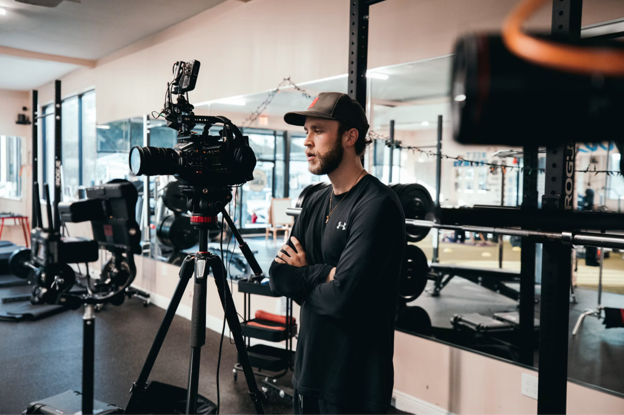
A free throw can feel right to a player even when a coach notices a change in her elbow position or release. They’re judging the same movement from different perspectives.
A phone clip gives them a shared view. They can pause on the same frame, discuss one visible detail and decide what to try on the next attempt.
Key Takeaways
- Start with one question. Decide what you want to observe before recording.
- A steady phone is enough to begin. Keep the whole movement visible.
- Review together. Agree on one cue to try in practice.
- One camera has limits. Everyday replay isn’t a complete 3D measurement.
What a Replay Can Tell You
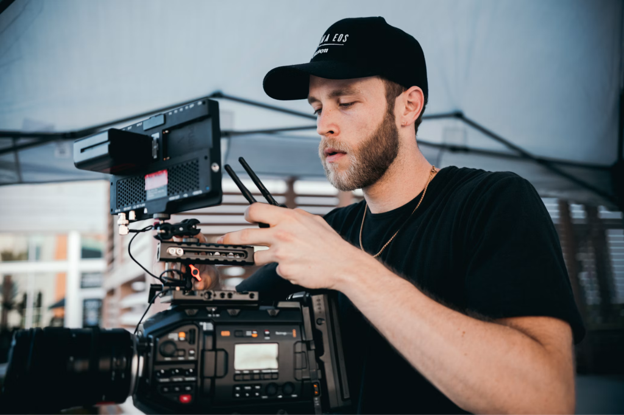
Purposeful video review means choosing a moment, watching it more than once and asking what happened. A successful attempt and an unsuccessful one can both reveal details worth discussing.
The UK Sports Institute describes how its performance analysts give coaches objective information about a performance, which supports evidence-based decisions and cuts down on guesswork. In a school gym, that can mean replacing “I think your feet were wrong” with “pause here and look at your feet.”
This is sports video analysis explained in everyday terms: start with a question about movement or positioning. For a sprinter, you might compare the first three steps out of the blocks with an earlier attempt. For a basketball team, you might check where defenders stood when a point guard drove the lane. Those questions call for different camera angles. A wide view from the stands helps show positioning; a closer side view can help show a specific technique detail.
Some questions go beyond what a single phone can show. Multi-camera markerless systems such as Theia3D estimate full-body position in 3D from synchronized video, without markers, sensors or special suits. If your program is weighing that level of detail, this guide to choosing motion analysis software compares options by output, setup, validation and how data is handled.
Turn One Clip Into a Useful Practice Plan
Use a short routine that connects the recording to something the athlete can try.
Choose one question. Keep it specific and away from medical territory. Is a shooter’s follow-through consistent across attempts? Does a volleyball server toss to the same spot? One question keeps the review focused. Questions about pain or injury belong with an athletic trainer or doctor.
Record a clear view. Put the phone on a tripod or a steady surface instead of holding it, and keep the whole movement in frame, including the feet and the follow-through. Film from the same spot each time so later clips are easier to compare, and check that the body parts tied to your question stay visible throughout the repetition. If your phone can record at 60 frames per second, use it; the extra frames make slow-motion playback smoother. Treat that as a capture tip, not an accuracy guarantee.
Review together. Watch at normal speed to see the overall movement, then use slow motion or pause at the moment you want to examine. Ask the athlete what she notices before offering your observation. If you want to mark a frame, Kinovea lets you create key images, attach text comments and compare two videos side by side.
Try one cue and compare. Agree on a single coaching cue, such as “finish with your hand in the rim” or “toss to the same spot.” Record another attempt with the same camera setup and watch both clips together. Write a short note with the date, what you observed and the next practice task. That note turns the review into a plan for the next session.
A local example shows that player growth reaches well beyond technique. Recent coverage of Sumner Hill basketball, published November 14, 2025, reported that the ninth-grade girls’ team opened its season 6-1. Coach Nikita Mitchell said family is at the core of the program and that her goal is to prepare players for varsity competition. That coverage doesn’t say whether the team uses video tools. For coaches who do use them, review should support the same long-term work of player growth.
Before recording, ask athletes, and the parents of minors, for permission. Ask separately before sharing clips. Limit access to the people who need the footage, and check your school or league’s recording policies. These are practical precautions, not legal advice.
Choose Tools That Match Your Question
For a question about a visible technique detail, start with a phone and basic playback. Add software when you need annotations, comparisons or measurements that your recording setup can support.
Start with what you need to see. Ordinary video review shows movement on a flat screen. That can help you compare a follow-through or observe a landing from the side. Multi-camera 3D systems answer different questions, such as how joints move through all three planes, and they need a dedicated camera setup to do it.
Know what a measurement means. Kinovea’s documentation states that all its measurements must sit on a single 2D plane. If a knee moves toward or away from the camera, a measurement on that plane doesn’t capture the full movement. Treat a visual observation separately from a software estimate or a clinician’s assessment.
Check the practical requirements. Kinovea is free and open-source, though you still need recording hardware and a computer. Dedicated 3D systems usually need several synchronized cameras, a calibration step and a capable computer, and many export standard formats such as .c3d for use in other analysis software. Before choosing software, check camera and calibration requirements, export compatibility, where footage is processed and stored, who can access it, and the full equipment list.
Conclusion
Keep video review simple: ask one clear question, record a useful view and agree on one next step. A clip can support a conversation, but it is only one part of practice and coaching.
FAQs
Can I start with a phone?
Yes. A phone on a tripod or supported securely, with the whole movement in frame, is a reasonable starting point for reviewing visible technique.
What should I look for in a clip?
Look for the answer to the question you chose before recording, such as whether a follow-through matches across attempts. Keep feedback focused on an observation the athlete can use in the next attempt rather than listing every possible fault.
How often should I review footage?
Choose a schedule you can sustain and connect each review to a practice task. One clip per athlete for the current focus area is a manageable starting routine. Leave time to try the agreed cue before reviewing again.
Does one camera show the full picture?
One view can hide movement toward or away from the lens. A single clip can help compare visible details, but it doesn’t establish a complete 3D measurement. Keep any measurement within the limits of the camera view and the software’s calibration requirements.