5 Online Safety Tips Every Clinton Parent Needs to Know in 2025

“Mom, what’s a VPN?” my daughter asked after her classmate mentioned it during a Zoom call.
I froze. I knew it had something to do with internet safety, but how was I supposed to explain it without sounding clueless? If you’re like most Clinton parents, keeping your kids safe online sometimes feels like trying to learn a new language overnight.
That’s why we’ve rounded up five practical, parent-friendly safety tips that even non-techy families can follow. From talking with your kids about screen time to using tools like VPNs, these tips will help you create a safer digital environment at home—without the tech stress.
“Mom, What’s a VPN?” – Why Every Family Should Know About VPN Downloads in 2025
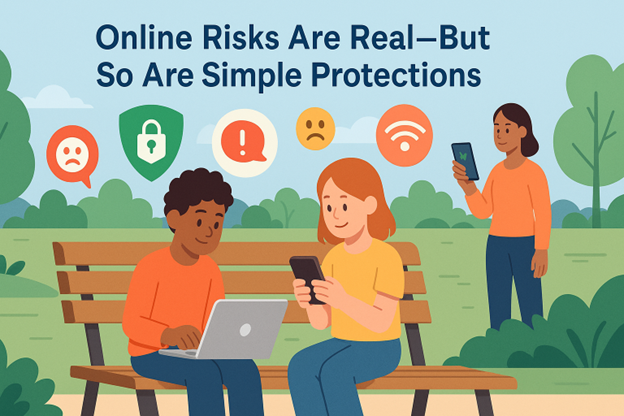
In 2025, Clinton kids aren’t just online—they live online.
Whether it’s homework on Google Classroom, TikTok videos shared during lunch breaks, or connecting through public Wi-Fi at Lion’s Club Park, digital life is a daily reality for children of all ages. The more our kids use the internet, the more important it becomes for parents to stay one step ahead of potential threats like:
- Cyberbullying
- Inappropriate content
- Public Wi-Fi hacking
- Identity theft
- Digital addiction
This isn’t about scaring parents—it’s about equipping them. And the good news? You don’t need to be a tech wizard to protect your family online.
Simple tools like parental controls and private browsers are a great place to start. But for Clinton families especially concerned about public Wi-Fi at parks or kids using school-issued laptops on shared networks, setting up basic protections—like a secure VPN you can easily download—adds a critical layer of privacy. In fact, VPN download options in 2025 are built to be simple and quick, even for parents who aren’t tech-savvy.
Tip #1: Make Digital Safety a Dinner Table Conversation
Let’s start with the easiest—and most powerful—tool you already have: your voice.
Why Conversation Matters
Children and teens are far more likely to make smart choices online when they understand why it matters. Talking openly about internet use normalizes the conversation, builds trust, and encourages your child to come to you when something feels off.
What to Talk About
- What apps they use and why
- Who they talk to online
- What privacy means in digital spaces
- What to do if someone makes them uncomfortable
Clinton Tip
Some local schools now include basic digital citizenship training, but it’s limited. Consider expanding on those conversations at home with age-appropriate tech talks. Clinton churches and parenting groups occasionally host workshops—check the community calendar!
Tip #2: Upgrade Your Privacy: Passwords, Networks, and a VPN
Even if you trust your child, you can’t trust public Wi-Fi—especially in places like coffee shops, schools, or even the Clinton library.
What Is a VPN (and Why Clinton Families Need One)
A VPN (Virtual Private Network) encrypts your internet connection, making it almost impossible for hackers to snoop on your online activity—even on unsecured networks. For Clinton families using Wi-Fi in public spaces or shared networks at home, a VPN can:
- Protect your child’s browsing habits
- Keep sensitive information (like school logins or location data) safe
- Prevent targeted ads and trackers from profiling your child
Easy VPNs for Families
You don’t need advanced tech skills to install one. Popular VPNs like X-VPN, NordVPN, or Surfshark offer one-click setups and work across phones, tablets, and laptops.
Pro Tip: Choose a VPN with Family Plan options. These protect multiple devices for one affordable price.
Tip #3: Spot the Red Flags: Cyberbullying & Online Predators
No parent wants to believe their child is being targeted online—but ignoring the possibility doesn’t make it go away.
Signs to Watch For
- Sudden withdrawal from favorite apps
- Anxiety when receiving notifications
- Unexplained changes in mood or behavior
- Creating multiple or hidden social media accounts
What You Can Do
- Regularly check in with your child—not just their devices
- Use parental tools to monitor suspicious messages or hidden apps
- Encourage screenshotting and reporting offensive behavior
Clinton Tip
The Clinton Police Department reports several digital fraud and harassment cases involving minors in 2024 and early 2025. Parents are urged to stay informed through the CPD Facebook page and local town halls on cybercrime.
Tip #4: Screen Time Doesn’t Have to Mean Screen Struggles
Managing how much time kids spend on screens is less about control—and more about balance.
Set Tech-Free Zones
Create boundaries where screens aren’t allowed (like bedrooms at night or family dinner). This protects sleep quality, encourages conversation, and reduces digital fatigue.
Use Built-In Tools
Both Apple’s Screen Time and Android’s Digital Wellbeing allow you to:
- Set app limits
- Schedule device downtime
- Monitor app usage
Clinton Tip
Check out unplugged alternatives: Clinton Parks & Rec offers seasonal youth sports and art programs, while the Clinton Community Nature Center hosts monthly family hikes—great for getting kids off screens and into nature.
Tip #5: Know Your Tools: The Best (Free) Resources for Parents
You don’t need to spend a fortune to stay secure. Many of the best tools are free, easy, and designed for busy parents.
Top Free Tools
- X-VPN (Free plan): Solid protection for light users
- Google Family Link: Lets you monitor your child’s Android or Chromebook activity
- Bark (free trial): Monitors messages for signs of bullying, predators, or risky behavior
- Common Sense Media: Reviews on apps, games, and shows for age-appropriateness
Clinton Tip
The Quisenberry Library offers monthly digital literacy classes and one-on-one tech help for parents—free of charge. You can also speak with your child’s school IT staff for safety tips or device settings.
Wrap-Up: Raising Smart, Safe Digital Kids in Clinton
Parenting in 2025 means knowing what your kids are watching, where they’re clicking, and how to protect them—even when you’re not looking over their shoulder.
The good news is you don’t have to do it alone. With a few smart tools like a VPN, open conversations, and community support, you can build a digital environment that keeps your kids safe and empowers them to use technology wisely.