Mastering the Art of Social Media Branding with DIY Profile Images
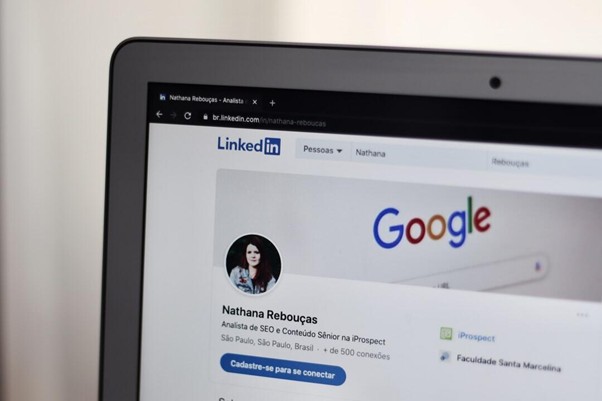
Your profile image shapes how people see you online. It can either attract followers or push them away. A DIY approach lets you control how your brand shows up without spending much.
When done right, it reflects your identity and builds trust. Use the tips below to strengthen your social media branding with profile images. Start now and make every impression count.
Choose a Clean, Clear Shot
Blurry or cluttered images kill first impressions. Go for a clear photo with your face or logo centered. A plain background works better than something busy. Lighting also matters, so avoid dark or shadowy shots.
The focus should be sharp. Show your face if you’re branding yourself. Show your logo if you’re promoting a business. Make sure the image is not cropped awkwardly. Your profile photo should look intentional and polished.
Stick to a Color Scheme
Your colors need to match your overall brand look. Stick to two or three key colors. Use those same tones in your image background, clothing, or graphics. This ties everything together across your pages.
Avoid random or overly bright shades that don’t match your usual vibe. If you’re not sure what colors to pick, look at your website or content style. Use those same tones in your image. Staying on-brand makes you easier to recognize.
Use the Same Profile Photo Across Platforms
One image for all channels makes you instantly recognizable. It creates trust and familiarity with your audience. You don’t want followers guessing whether it’s the same account.
A consistent photo helps build memory and brand identity. If you change it often, stick to a similar pose, lighting, and color setup. This keeps your branding strong even when you update the image. Uniformity builds confidence in your brand. People trust visuals they’ve seen before.
Match the Mood to Your Brand
Your expression or pose should reflect your tone. A business brand might go for serious or confident. A personal or creative brand might lean casual or upbeat. Think of how your audience sees you and match that energy.
Your background, lighting, and outfit should also match that vibe. Consistency builds trust. A mismatch confuses your audience. Be intentional with every part of your photo to reflect your values.
Keep the Design Simple
Less is better when it comes to profile pictures. Avoid using too many props or effects. Busy designs look unprofessional and hard to view on smaller screens. Simplicity brings focus to your face or logo.
That’s what people want to see anyway. Stick to one focal point. Use a background that doesn’t compete with the subject. Clean photos feel more modern and approachable.
Add Subtle Personal Touches
You don’t have to be boring to be consistent. Add personality without losing your brand tone. This could be a small item, a signature color, or a pose you often use. These touches can make your image more memorable.
They help you stand out without breaking from your identity. People connect with the little things. These subtle choices often become part of your brand story. They also make you more human online.
Use Design Tools for DIY Editing
You don’t need a designer to create a quality profile image. Many online tools help you resize, crop, and adjust images for different platforms. Some even give you templates and quick design options.
Tools like the Adobe Express free profile picture maker are useful if you want something fast and personalized. You can upload a photo and tweak it easily. DIY options give you control and save time. You’ll be surprised how polished it can look.
Frame Your Face or Logo Properly
Avoid placing your face too low or high in the frame. Center it so that it looks good even when cropped. Most platforms crop profile images into circles. Make sure nothing important is cut off.
Test how the photo looks in circular format. Adjust spacing around your head or logo to prevent tight edges. Framing well shows that you care about presentation. Poor cropping can make the image look rushed or messy.
Use a Background That Matches Your Brand
Your background doesn’t have to be plain, but it should match your identity. It can be a solid color, a blurred scene, or a branded pattern. Keep it subtle enough to not distract from your face or logo.
Avoid messy or busy environments. Choose colors that don’t clash with your outfit or brand tones. The background is part of your message too. Treat it with care.
Avoid Heavy Filters and Over-Editing
Too much editing makes photos look fake. Filters can change skin tones and lighting in unnatural ways. Try to keep things as real as possible. Some light adjustments are fine, like brightening or sharpening.
But skip the heavy contrast, color shifts, or face-smoothing. Let your true look show. People respond better to authenticity. Clean and natural edits build trust faster.
Update the Photo as You Grow
Your brand may evolve, and your image should reflect that. If you’ve made major changes in your appearance or focus, update your photo. Outdated photos create confusion or mistrust. Aim to update at least once a year.
Or sooner if your brand identity shifts. Keep everything in line with your latest direction. Consistency is key, but so is staying current. Evolving your profile image shows growth.
Test Different Versions if Needed
Not sure what works best? Test a few versions. Upload them on different platforms and see how they perform. You can also ask for feedback from trusted contacts.
Small tweaks in lighting, expression, or layout can make a big difference. See which version draws more engagement. Go with the one that feels right and gets noticed. Testing helps you avoid guesswork.
Master the Art of Social Media Branding with DIY Profile Images
DIY profile images are a smart and simple way to control your social media branding. You don’t need a big budget to make a strong visual impact. Just focus on clarity, consistency, and staying true to your style.
When done right, your profile picture becomes one of your most powerful tools. It’s the first thing people see and often the reason they decide to follow. Make it count.
We’ve got more posts on the blog. Check it out!