Weekend Camping in Mississippi: Simple Ways Families Can Keep Their Phones Charged
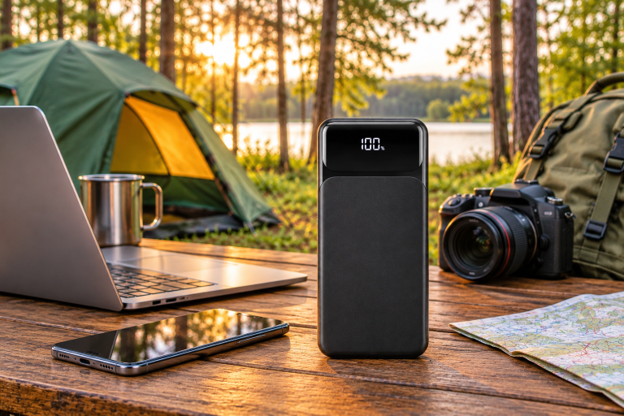
A family camping weekend in Mississippi should be about exploring the outdoors, sharing memorable moments and enjoying time away from everyday routines—not worrying about dying phone batteries. Yet smartphones remain important during a trip, helping families navigate unfamiliar roads, check reservations, monitor weather updates, capture photos, and contact others when necessary. Without reliable charging access, even a short weekend can become inconvenient, particularly at remote or primitive campsites.
The solution is not simply carrying the biggest power bank. It is building a practical charging plan around the campsite, trip duration, and the family’s device usage. With the right preparation, families can stay connected when it matters without letting technology dominate their outdoor experience.
Plan Around the Actual Trip and Campsite Facilities
Start with the campsite, not the assumption that an outlet will be nearby. Mississippi State Parks describes primitive camping as having no electricity or running water, while developed RV sites may offer electrical hookups. Cabins and individual campgrounds have their own facilities, so check the exact listing or contact the park before departure.
Match the power plan to the stay. Tent campers should expect to rely on charged devices and portable power; RV campers should confirm the hookup and any rules for cords or adapters. Check:
- Campsite type and electrical access.
- Number of phones and trip length.
- Reservation details and park contact information.
- Whether outlets are at the site or inside a unit.
- Rules for extension cords, adapters and shared pedestals.
Create a Family Charging Routine Before Leaving Home
A routine prevents the familiar problem of discovering a nearly empty phone after reaching camp. Charge each phone and power bank before departure, check that everyone has the right cable, and test unfamiliar adapters at home. Agree on where shared charging equipment will be stored so it does not disappear into separate bags.
Prepare key information while internet access is reliable. Download maps for offline use if the app supports them, save the campground address and reservation confirmation, and keep important numbers easy to find. A family can also set a regular charging time, such as breakfast or before evening activities. This creates a predictable habit without requiring everyone to stay connected all day.
Before leaving, make sure:
- Phones and backup batteries are fully charged.
- Offline maps and confirmations are saved.
- Every device has a compatible cable.
Pack Spare Cables and a Practical Backup Battery
A backup battery works best when it matches the devices the family carries. Check whether phones use USB-C or Lightning, and pack cables that fit both the power bank and each device. A short spare cable can prevent a disruption if the main one is misplaced. Keep cables dry, untangled and free of frayed insulation or loose connectors.
For a weekend outdoors, camping power banks can reduce the need to depend on a shared vehicle charger, especially when several family members carry phones. Choose a model with suitable capacity, compatible ports and a clear charge indicator. Recharge it at home and protect it from crushing, moisture and direct sun.
A practical packing list:
- One cable per phone, plus a spare.
- A wall adapter for home charging.
- A protective pouch for the power bank.
Match Power Bank Capacity to Your Family’s Actual Needs
A power bank’s mAh rating describes cell capacity, not the energy a phone receives. Convert capacity to watt-hours (Wh) by multiplying amp-hours by voltage. A 10,000mAh pack at 3.7 volts stores about 37Wh. A 5,000mAh phone battery at 3.85 volts stores about 19.25Wh.
Conversion and charging losses reduce the energy delivered to a phone. If 70% of 37Wh reaches the device, that is 25.9Wh, or roughly 1.3 equivalent charges for a 19.25Wh battery. This is an estimate, not a guarantee. A 10000 mah power bank may suit one phone on a short trip, but usage, signal strength, temperature, and battery condition affect results.
When comparing capacity, consider:
- How many phones need charging.
- Each phone’s battery size and daily use.
- Whether a larger pack’s weight is practical.
Share Charging Power Without Creating Unnecessary Hassles
When a family shares one battery, decide which devices need power first. A parent’s phone used for directions, campground contact or emergency communication may take priority over a device used mainly for entertainment. Agree on short charging turns and keep the power bank in one known, shaded place so everyone can find it.
Multiple ports allow several devices to connect, but they do not guarantee maximum speed for every device at once. Available output may be shared, and speed also depends on the phone and cable. A simple order can prevent arguments, particularly when several people return from activities with low batteries:
- Top up essential communication phones first.
- Charge accessories after phones are ready.
- Check remaining capacity before another turn.
- Avoid leaving a device connected after it is charged.
- Keep one person responsible for returning the battery to its storage place.
Protect Phones and Power Banks From Mississippi’s Summer Heat
Heat matters during camping. Sunlight can make a phone hot enough to pause charging. Apple says iPhone and iPad are designed for ambient operating temperatures from 0°C to 35°C (32°F to 95°F), and warns that parked cars can exceed safe temperatures. Other devices have different limits; check their manufacturers’ guidance.
Keep devices off hot dashboards and out of direct sun. Store them in shade, in a dry place with airflow. If a device becomes unusually hot, stop charging and let it cool; never cool a battery with ice or water. Remember that heat can also affect charging speed and battery performance, even when a device appears to be working normally:
- Do not leave devices in parked cars.
- Keep power banks away from moisture.
- Stop using swollen or damaged batteries.
- Follow the power bank maker’s stated temperature limits.
Keep Emergency Contacts and Essential Information Accessible
Mobile coverage can vary with terrain, distance from towers and network provider. Before leaving, download route maps where possible and save the campground’s name, address, reservation details and park contact number. Share the itinerary and expected return time with someone who is not travelling, especially if the family plans to visit remote areas.
Do not rely on a phone alone for essential details. Write key numbers and instructions on a small card, and make sure children know which adult to approach if separated. Agree on a meeting point before exploring, and explain to children what to do if they cannot find the group. Keep these details handy:
- Emergency contacts and family phone numbers.
- Campground address and reservation confirmation.
- Route information and planned return time.
- A written backup of essential phone numbers.
- The name of the person holding the reservation.
Reduce Phone Battery Drain During Outdoor Activities
Stretch a charge by reducing unnecessary use before the battery gets low. Lower screen brightness, shorten screen timeout and close navigation or camera features when they are no longer needed. Check battery settings for apps using unusual background power. Download maps, music or other content before departure instead of streaming constantly over a weak signal.
Useful adjustments include:
- Enable Low Power Mode or its equivalent.
- Pause background refresh for nonessential apps.
- Use airplane mode only when connectivity is unnecessary.
- Disable unnecessary notifications during outdoor activities.
Keep location services available when needed for navigation or safety. Rather than disabling every connection, use features deliberately: open maps when required, take photos in batches and put the phone away between activities. These habits preserve power without limiting useful phone functions on the trip.
Use Vehicle Charging as a Backup, Not Your Only Power Plan
A vehicle can provide a convenient charging opportunity on the drive to camp. Bring a compatible car adapter and cable, and check whether the vehicle’s USB port supplies enough power; some ports charge slowly or are intended mainly for data. Charge during normal travel rather than leaving a phone plugged in unattended in a hot, parked vehicle.
Vehicle charging is less useful when the family leaves the car for a hike or time at the campsite. Some vehicles stop powering accessories when the engine is off, while others may continue drawing from the starter battery. Follow the vehicle manual and avoid leaving accessories on for long periods. Plan for:
- A tested car adapter and compatible cable.
- Charging during the drive, when practical.
- A portable backup when the vehicle is out of reach.
Include Reliable Lighting and Backup Power in the Family Checklist
A family checklist can include a charged USB battery, compatible phone cables and lighting for after dark. As one published example, the Avepower K147 has a 20,000mAh capacity, two USB-A outputs, one USB-C output, a digital battery-level display and two built-in LED lights. Its maximum advertised output is up to 22.5W through compatible USB-A ports and up to 20W through USB-C. The product listing states a one-year warranty; review current terms before purchase.
The K147 can connect up to three compatible devices, but simultaneous charging may reduce speed. Its built-in lights offer nearby illumination, but they should not replace a headlamp or lantern for every campsite task. Consider:
- Weight, capacity and recharge time.
- Port compatibility with family devices.
- Safe, dry storage and product warranty.
- A separate headlamp or lantern for hands-free tasks.
Conclusion
A successful Mississippi camping weekend does not require constant phone access, but it does require a dependable way to keep essential devices ready. Checking campsite facilities, charging everything before departure, packing compatible cables and choosing suitable backup power can prevent avoidable problems. Families should also protect batteries from excessive heat, reduce unnecessary screen use and keep important contact information available offline.
Most importantly, a power bank should support a broader preparation plan rather than serve as the family’s only safety measure. Before the next trip, compare practical features, capacity and charging options from Avepower to find equipment that matches your needs. Better preparation means fewer interruptions and more time outdoors.
FAQs
1. How can families keep their phones charged while camping in Mississippi?
Families can keep phones charged by fully charging devices before departure, packing a suitable power bank, carrying spare cables and using vehicle charging when available. Checking campsite electricity access also helps prevent unexpected battery problems.
2. Do Mississippi State Parks have electricity at campsites?
Some Mississippi State Park campsites offer electrical hookups, particularly developed RV sites. However, primitive campsites generally do not provide electricity. Families should check the specific campground’s facilities before booking.
3. What size power bank is best for a weekend camping trip?
A 10,000mAh power bank may be sufficient for one phone with moderate use. Families carrying multiple devices may benefit from a 20,000mAh model or larger, depending on charging needs and trip duration.
4. How can I make my phone battery last longer while camping?
Reduce screen brightness, enable Low Power Mode, download maps for offline use and limit background app activity. Avoid unnecessary streaming and keep your phone away from excessive heat.
5. Is it safe to leave a power bank inside a parked car while camping?
No. Parked vehicles can become extremely hot, potentially affecting battery performance and safety. Keep power banks in a cool, dry, and shaded location, following the manufacturer’s temperature guidelines.