6 Awesome Ways for You to Edit Your Photos
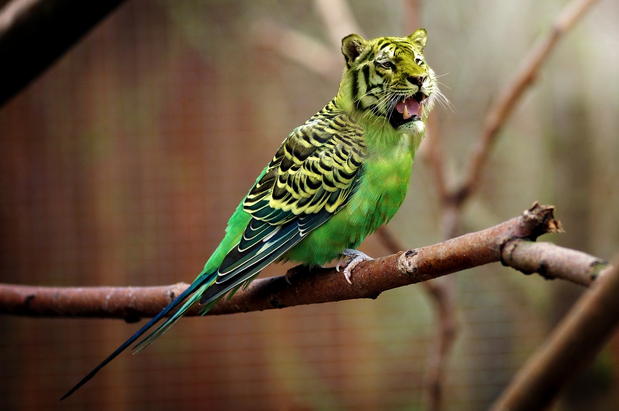
We live in a day and age where a lot of communication is done between friends and family through social media applications. A large majority of these applications, however, do not offer straightforward communication, and rather, photo-sharing applications, like Instagram, Snapchat, or video-sharing applications like TikTok. These platforms allow us to communicate with people but through photographs. Because of this, photo editing is incredibly popular. There are many reasons for this, though we will not go into any of them. Photo editing can boost your confidence, improve your photos, and look awesome!
In our article today, we are going to tell you six awesome ways for you to edit your photographs so that you can post amazing photographs to your social media accounts every single time that you make a post.
Here are six awesome ways for you to edit your photos.
1. Lightroom Presets
Something many do-it-yourself photo editors are unaware of is lightroom presets, which can be utilized to create and edit awesome photographs. These preset, according to the photography specialists from Visual Flow Presets, can help you turn a normal, run-of-the-mill photograph into one that is nothing short of professional. There are many makers of these presets, but most can be downloaded and applied straight to photo editing applications like Photoshop, which can be downloaded on a trial-basis (or for free if you are a student). Editing your photos has never been easier, and with lightroom presets, all of your photos will be amazing.
2. Blur
Blurring your photographs is a great way to accentuate features that you want people to notice. On most modern phones, such as the iPhone and Samsung Galaxy, there are options to take photographs with already blurred backgrounds. These photos, if you are taking a photograph of yourself, are a great way to bring attention to yourself and to make your photos look professional. If you have neither of these phones, you can also blur your photos on photo editing applications. You can blur the background, which will do the same thing.
3. Sharpen
Sharpening your photos is another awesome editing tool that you have at your disposal. Most social media applications have a function for you to edit your photographs on them. Sharpening does as the name suggests, it sharpens your photos. This will give more of an edge to your photos and make your photos look much cooler. Sharpening your photos is a great way for you to improve every single photo that you take and make them look more real, lifelike, and just of better quality. Do not go overboard, though, or your photos will look pixelated and just rubbish.
4. Burn
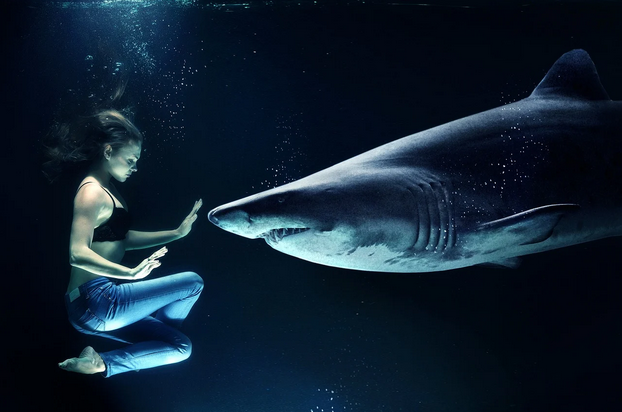
Burning or scorching your photos is a way that you can darken them. This allows you to add flair to your photos and to make them look better. With that said, burning will not work on all of your photos. It is worth researching and checking out how burning works before you begin using burn tools, as otherwise, you can ruin your photographs. Providing you use the tool carefully, however, you can improve your photos massively through its use. Burn your photos and you will make your photos look unique and different every single time.
5. Contrast
Editing the contrast of your photos is another very popular method of photo editing. By editing the contrast of your photos you can make all of your photos look much better. That said, you do not need to edit the contrast of all of your photos. When you become acquainted with how contrasting tools work then you will be able to establish which photos need to have their contrasts adjusted. You can also add filters, which play with contrast, to your photos and that is something we should all be familiar with in the 21st-century – or the ‘age of the filter’.
6. Touching Up
Touching up your photos is a great way to remove any blemishes or anything that you do not want in the photo. Providing you are a competent and capable editor, there is very little that cannot be removed from a photograph. You can learn how to professionally touch up your photos by buying online courses, or you could, of course, just pay someone to do it for you. Touching up your photos is a great way to improve every photo and make every photo awesome (even if it is a really, rubbish picture!)
In this article, we hope to have explained to you six ways that you can edit and improve your photographs. We hope that you have benefitted from this article and found it informative – we also hope you will come back and join us again soon. Thanks for reading, folks!
Bonus Tip: If you’re looking to quickly enhance your photos, check out the Picsart Photo Editor. a free and easy-to-use online editor that has all the tools you need to bring your creative ideas to life. Whether you’re a creator, small business owner, or marketer, Picsart’s drag-and-drop features and advanced tools make photo editing simple and efficient.