9 order taking software tools for food distributors
Key takeaways
- A single phone order costs 20 to 30 minutes once you count the call, the callback, and the typing.
- Order taking software splits three ways: voice capture, distributor-side digitization, and self-service B2B portals. The right group depends on how customers already order.
- Published pricing runs from $60 per user per month to $429 per month. Six of the nine tools below quote only after a demo.
- Adoption beats features. The tool that wins is the one your customers will actually use next Tuesday morning.
Food distributors lose more time to taking orders than to almost anything else in the back office. One phone order runs 20 to 30 minutes once you add up the call, the callback about a missing item, and the typing that follows. At 40 orders a day, that is most of a full-time salary spent re-keying information a customer already said out loud.
The cause is not bad staff. It is that the order arrives in a format nobody can use. A voicemail. A text at 11pm. A photo of a handwritten list. Someone has to turn that into structured data, and that someone eventually gets a quantity wrong.
Order taking software closes that gap. It captures the order in a usable form the first time and hands it to fulfillment without anyone retyping it.
Below are nine tools that do that job, what each is good at, what it costs where the price is public, and the honest trade-off attached.
What order taking software actually does
Order taking software sits between the buyer and the warehouse, replacing the phone-and-sticky-note chain that causes most wrong-quantity errors.
A distributor-grade system handles four jobs. It captures the order from whatever channel the customer uses, validates it against live stock and that customer’s price list, routes the result to the right warehouse, then syncs back to accounting so the order becomes an invoice without a second round of data entry.
That validation step is what separates real order taking software from a generic shopping cart. Distributors run customer-specific pricing, order guides, credit terms, and delivery schedules, and the software has to respect all of them.
The nine tools
1. VoiceOrder Solutions
Best for: distributors whose customers still call orders in.
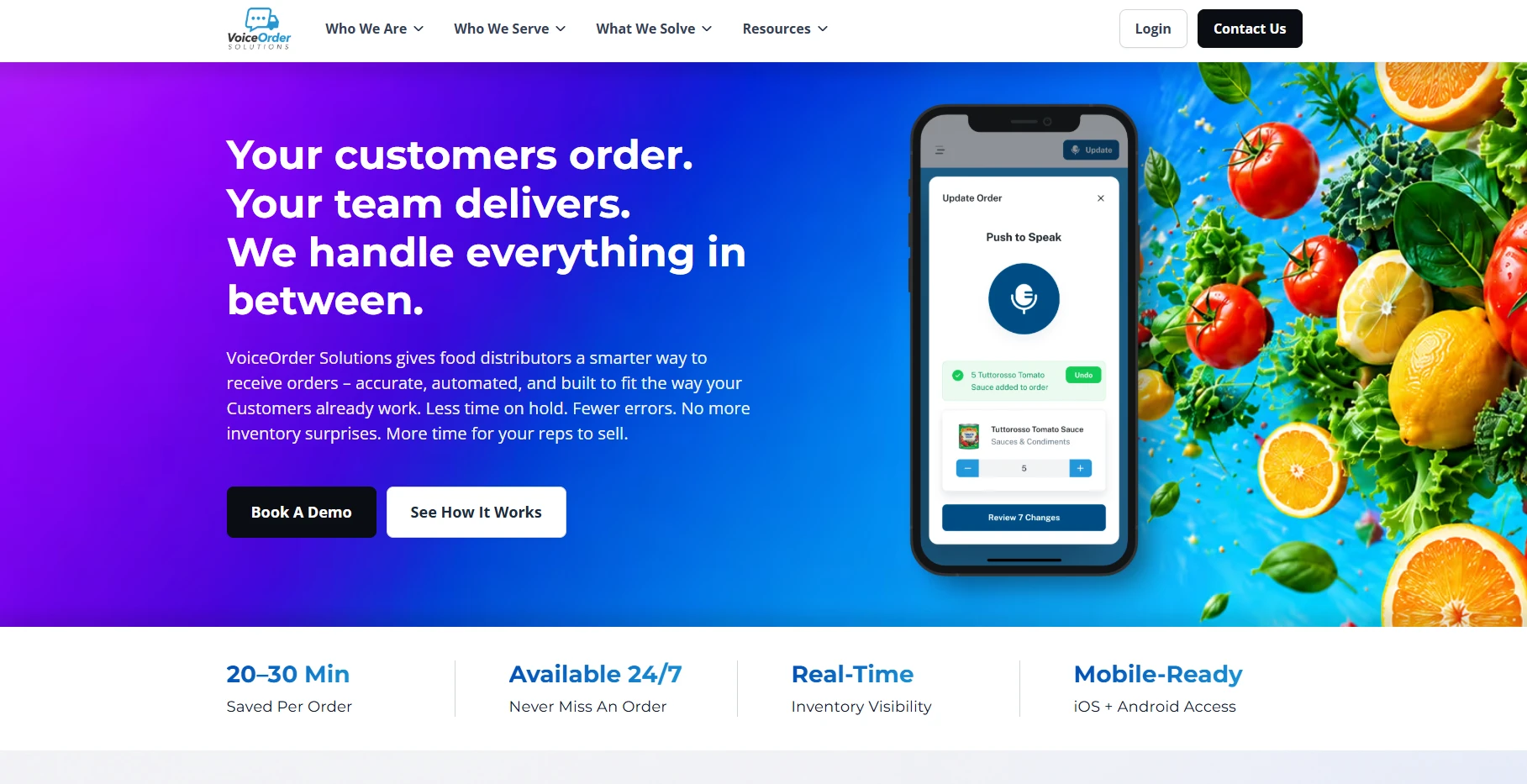
VoiceOrder Solutions attacks the single most manual step in food distribution: the moment the order is spoken. Instead of a rep fielding a call or transcribing a voicemail, restaurant and store staff open the app and speak the order aloud while walking the line. The order is digitized, confirmed, timestamped, and transmitted automatically. Nobody types it at either end.
That focus is deliberate. This is not an ERP or an ecommerce suite. It is a voice order taking software layer that feeds whatever system a distributor already runs, which is why orders can be delivered as email, PDF, Excel, EDI, API, or straight into QuickBooks. Orders placed after hours are captured and queued instead of dying in a voicemail box.
Every order carries a unique number, date, and timestamp, so a short delivery becomes a lookup rather than an argument. Order guides are personalized to each customer’s real SKUs and pricing, and an auto-save resumes an interrupted order at the same line. The company reports 20 to 30 minutes saved per order and a 24 to 48 hour setup for independent distributors, so the payback lands in week one rather than after a multi-month rollout.
The trade-off: it is built specifically for food and beverage distribution, and intake is voice-first rather than a full multi-channel portal. If you need a branded storefront or you sell industrial goods, look further down this list. Pricing is available on request.
2. Pepper
Best for: distributors who want AI to clean up messy inbound orders.
Pepper is an AI-first platform for independent food distributors. Its Order Agent ingests orders from voice, text, email, PDF, image, and even handwriting, then turns them into structured orders inside the distributor’s system. Around that sit a storefront, a sales hub, and a finance hub for collections.
The distinction worth understanding: Pepper works on the distributor’s inbound side, parsing whatever channel the buyer used, rather than being an app the restaurant opens. That is a strength if you never want to ask customers to change anything.
The trade-off: no public pricing, and it is a broad platform to adopt when all you needed was cleaner order capture.
3. Choco
Best for: distributors already running NetSuite, Dynamics, or Sage.
Choco calls itself a complete growth platform for food distributors. Its OrderAgent digitizes orders from voicemail, WhatsApp, email, text, and photos around the clock, with an ecommerce storefront and foodservice CRM on top.
Its strongest practical argument is the integration list. Choco names NetSuite, QuickBooks, Microsoft Dynamics, Sage, Odoo, and NCR, which matters when a vague “connects to your systems” claim has burned you before.
The trade-off: pricing is quote-only and described as a monthly fee based on usage, so you need a sales call to get a number. The suite is also large if order capture is your only gap.
4. Burnt
Best for: distributors whose orders arrive in informal language.
Burnt is an AI order-intake agent that pulls orders from email, text, voicemail, phone calls, WhatsApp, EDI, and rep free-text into the distributor’s ERP. Its interesting piece is SKU matching: it resolves a customer asking for “large shrimp” into the actual 16-20 count item on your catalog.
It also runs live inventory checks and suggests substitutions, then routes anything it cannot resolve to sales, ops, or finance with an audit trail attached.
The trade-off: pricing is demo-gated, and it is a newer entrant, so its security certifications are still in progress rather than complete.
5. Cut+Dry
Best for: distributors whose customers are ready to self-serve.
Cut+Dry is an ecommerce and sales-enablement platform for foodservice distributors, manufacturers, and restaurants. Its pitch centers on turning messy vendor catalogs into structured data behind a branded storefront, cutting the catalog and pricing errors that generate credits later.
Published customer results include one distributor lifting lines per order by 38% over two years.
The trade-off: it is the least voice-friendly option here, and a storefront asks your customers to change how they order. Pricing is available on request only.
6. SimplyDepo
Best for: distributors with reps out in the field.
SimplyDepo pairs order capture with route execution. Reps take orders on mobile with customer-specific pricing rules applied, the app works offline and syncs when it reconnects, and the platform ties the order to centralized inventory and fulfillment.
It is also the easiest tool here to test, with a 30-day free trial and no card required.
The trade-off: it claims ERP sync without naming specific ERPs, and the add-ons stack up quickly on top of a quote-based core plan.
7. Orderwerks
Best for: regulated distribution such as wine, spirits, or tobacco.
Orderwerks is built for verticals where compliance is part of the order. Reps take orders offline on a native app holding 50,000 SKUs, customers order 24/7 from a branded portal, drivers confirm delivery, and everything syncs to QuickBooks.
It is the only tool in this list with real compliance modules built in, covering NY SLA reporting, FastBound FFL, and federal tobacco tax-stamp reporting. Pricing is published: $60 per user per month for the base platform, with volume pricing at five users or more and no transaction fees.
The trade-off: it is QuickBooks-centric rather than broadly ERP-connected, and the real cost arrives in add-ons. Delivery management runs $150 per month plus $25 per driver.
8. inSitu Sales
Best for: DSD operations that need a named ERP integration.
inSitu Sales is a three-app suite: a field-sales app with GPS and route optimization, a warehouse picking app that builds picklists automatically, and a driver dispatch app with proof of delivery. It carries the strongest explicit integration story of the independent platforms, naming NetSuite, SAP Business One, Odoo, Epicor, and QuickBooks.
Pricing is public: $200 per month for a starter plan covering three users, $329 for Pro, and $429 for Enterprise, with extra users at $34.99 each.
The trade-off: the NetSuite and SAP integrations carry a one-time $500 setup fee, card processing runs 3.9% plus 30 cents, and three apps mean three things to manage.
9. OrderCircle
Best for: smaller wholesalers who want a predictable monthly bill.
OrderCircle centralizes multi-channel orders, order-history data, inventory forecasting, and shipment tracking in one place. Its appeal is transparency: Silver is $199 per month, Gold $299, and Platinum $399, with unlimited customers and products on every tier and a 30-day money-back guarantee.
The trade-off: the lower tiers cap order volume at 25 and 50 orders per month, staff accounts are locked out of the entry plan, and QuickBooks is the only named integration.
How to pick the right one
Match the tool to how your customers order today, not to how you wish they ordered. Four questions settle it faster than any feature comparison.
- Do customers call or text their orders in? Voice capture (VoiceOrder Solutions) or AI digitization (Pepper, Choco, Burnt) will save the most time immediately, because they attack intake without asking anyone to change habits.
- Will customers happily use a portal? A storefront platform (Cut+Dry, OrderCircle) shifts the typing to them, which is cheaper for you if adoption holds.
- Do you run reps or your own delivery routes? SimplyDepo and inSitu Sales tie the order to the route rather than treating fulfillment as somebody else’s problem.
- Do you sell regulated goods? Orderwerks is the only entry here with compliance reporting built into ordering.
One more filter is worth applying. If you are past roughly $15 to $20 million in revenue and want finance, inventory, and orders in one system, a full ERP built for wholesalers is the honest long-term answer, and distributors report six-figure implementation costs to get there. Below that threshold, a focused order taking tool that integrates with the accounting system you already run will pay back far faster.
The short version
The order desk is the front door to the whole operation. Everything behind it, picking, routing, invoicing, inherits whatever mess arrives at intake.
Shortlist two by how your customers order, run a trial with your own order guides and SKUs, and confirm the accounting integration before signing. The right system pays for itself in recovered hours and fewer credits, but only if it matches your order desk instead of a generic checklist.
Frequently asked questions
What is order taking software for distributors?
It is the system that captures a customer’s order, validates it against live inventory and that customer’s price list, routes it to fulfillment, and syncs it to accounting. For distributors specifically it has to handle customer-specific pricing, order guides, and mixed channels such as phone, text, email, and EDI.
How much does order taking software cost?
Published prices in this list run from $60 per user per month (Orderwerks) to $429 per month (inSitu Sales Enterprise), with OrderCircle at $199 to $399 depending on order volume. Pepper, Choco, Burnt, Cut+Dry, SimplyDepo, and VoiceOrder Solutions all price after a demo, so budget a sales call. Watch add-ons: storefronts, delivery modules, and extra users regularly double the headline figure.
Do customers have to change how they order?
That depends on which group you pick. Voice and AI digitization tools are designed so customers keep ordering the way they always have, by speaking or texting, while the software does the structuring. Portal and storefront platforms need customers to log in and type, which works well with newer accounts and stalls with long-standing ones. If adoption is your risk, choose the group that asks the least of the buyer.